Submission Metadata captures information automatically at a selected point in the entry process. In this example, Formyoula records whether the device is online or offline when the entry starts—no user input is required.
Add Submission Metadata
- Open the form in the Form Builder and add a Submission Metadata field.


- Configure the field:
- Label: Record Connectivity Status
- Capture Trigger: Entry Start
- Metadata Type: Connectivity Status
- Visible To Roles: Administrators
- Show Field On Edit Page: No
- Show Field On Detail Page: Yes
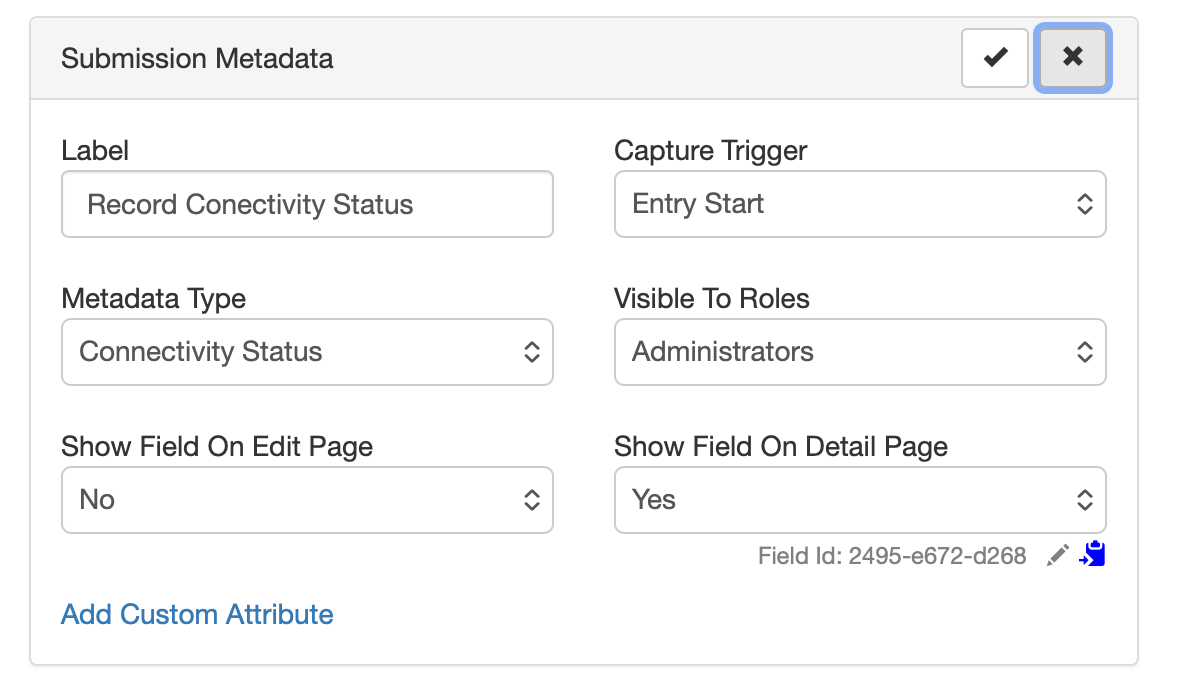
You can adjust the label, capture trigger, role visibility, and page display settings as needed.
View the result
When Show Field On Detail Page is set to Yes, the captured value appears on the entry detail page.
Entry started offline:

Entry started online:

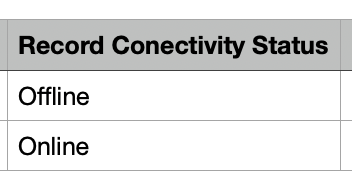
CSV export
The field is also included in CSV exports. The field label becomes the column heading, and each entry shows its captured value.
For any questions, please contact us at [email protected] or use the Formyoula in-app chat 🙂